
How do managers review, lock, and process timesheets for payroll?
Short answer
Managers get a weekly view of all employee timesheets with draft/submitted/locked/processed counts. Lock individual days or entire weeks to approve them, unlock for corrections, then batch-process locked timesheets and export a payroll CSV.
On this page
Processing timesheets is the manager-side half of time tracking: you review what crews submitted, lock the days you approve, then batch-process the locked timesheets into a permanent payroll record and export it. Processing is the point of no return, so all corrections happen before it.
Before you start
- The timesheets module must be enabled in company settings — without it, timesheet views do not appear for anyone.
- You need the lock and process permissions: Administrators, Managers, Office Admins and Finance Coordinators have them. Schedulers, Project Managers, Safety Managers, Site Leads and Site Workers do not.
- Employees must have filled out and submitted their timesheets — only submitted timesheets can be locked.
Steps
- 1Open the manager timesheet view and pick the week
- 2Review submitted timesheets per employee per day
- 3Unlock anything that needs correction, or lock days/weeks to approve
- 4Batch process the locked timesheets for payroll
- 5Export the payroll CSV (or rely on the payroll webhook sync)
The manager view
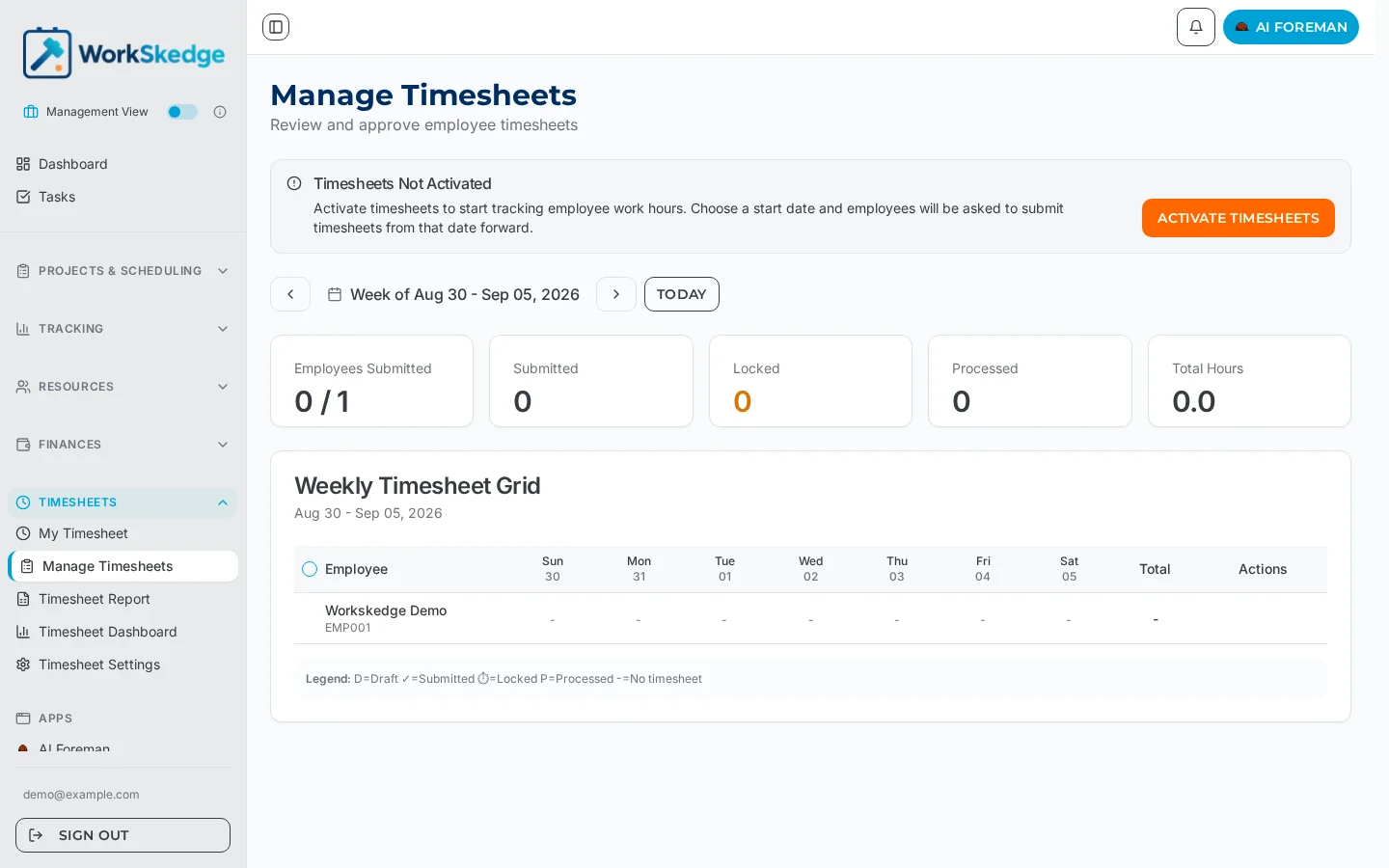
The manager timesheet view shows all employee timesheets by date, with a weekly view and daily breakdown per employee, plus summary statistics — how many timesheets are draft, submitted, locked, and processed.
The approval workflow
- Review submitted timesheets in the weekly view.
- Lock individual days or an entire week to approve them. Locking records who locked and when.
- Unlock any timesheet that needs corrections — Submitted returns to Draft for the employee; Locked returns to Submitted.
- Batch process locked timesheets to finalize them for payroll. Processing is permanent and cannot be reversed.
- Export the payroll CSV for your payroll system. Webhook integration is also available for real-time sync with external payroll systems.
The status path is draft → submitted → locked → processed, with revert and unlock moving backwards. See timesheet statuses for what each state allows.
Reminders and rounding
- Email reminders nudge employees for timely submission. Reminder settings are configurable — including a configurable day-of-week and time for the timesheet reminder.
- Time rounding rules (5, 10, or 15 minute intervals) are company-configurable in Business Profile settings and apply consistently across all entries.
Notes and limits
- Processed is terminal. Entries cannot be edited, the timesheet cannot be deleted, and there is no unprocess action. Unlock and correct before processing.
- Locking and processing both record who did it and when, so the payroll trail is auditable.
- Locking works per day or per whole week; processing can be run as a batch across multiple timesheets.
- Rounding rules apply company-wide — they are not per-employee overrides.
Common errors
- Locking is rejected — the timesheet is still in Draft. Only submitted timesheets can be locked (
Cannot lock timesheet with status: draft). - Processing failed — the timesheet must be in Locked status and your role must hold the process permission.
- Timesheets are missing from the menu — the timesheets module is not enabled for your company.
- An employee sees no timesheet card — check the module is on, that their timesheet start date is set and in the past, and that they hold a site lead or site worker role.
- Entries are not pre-populating for an employee — they have no work order schedules for that date; check the schedule and any holidays.
Once hours are processed, they feed job costing and invoicing. See also how WorkSkedge handles financials and job costing.
Also see set up timesheets: entry mode, breaks and rounding, work types, multipliers and billable hours, and export timesheets and run payroll.
Frequently asked questions
Can I process a whole week at once?
Yes — managers can lock entire weeks and batch process multiple timesheets in one go.
What happens if I process a timesheet by mistake?
Processed timesheets are permanent payroll records and cannot be reversed. Unlock and correct timesheets before processing.
How do I chase employees who haven't submitted?
Use the email reminder system — the timesheet reminder can be configured for a specific day of week and time.
Timesheets are missing from the menu — why?
The timesheets module is not enabled for your company. An administrator needs to enable it in company settings first.
Which roles can lock and process timesheets?
Administrators, Managers, Office Admins and Finance Coordinators can view all timesheets, lock, process and edit others' entries. Schedulers, Project Managers, Safety Managers, Site Leads and Site Workers can submit their own timesheet but cannot lock or process. The Timesheets module must be enabled for any of it to appear.
Why did locking fail?
Only submitted timesheets can be locked — locking a draft returns a conflict error such as "Cannot lock timesheet with status: draft." Ask the employee to submit first, or check that you hold the lock permission.
Was this article helpful?
Still stuck?
Send us the article name and what you expected to happen.
Last verified August 30, 2026