
How do I export timesheets and run payroll?
Short answer
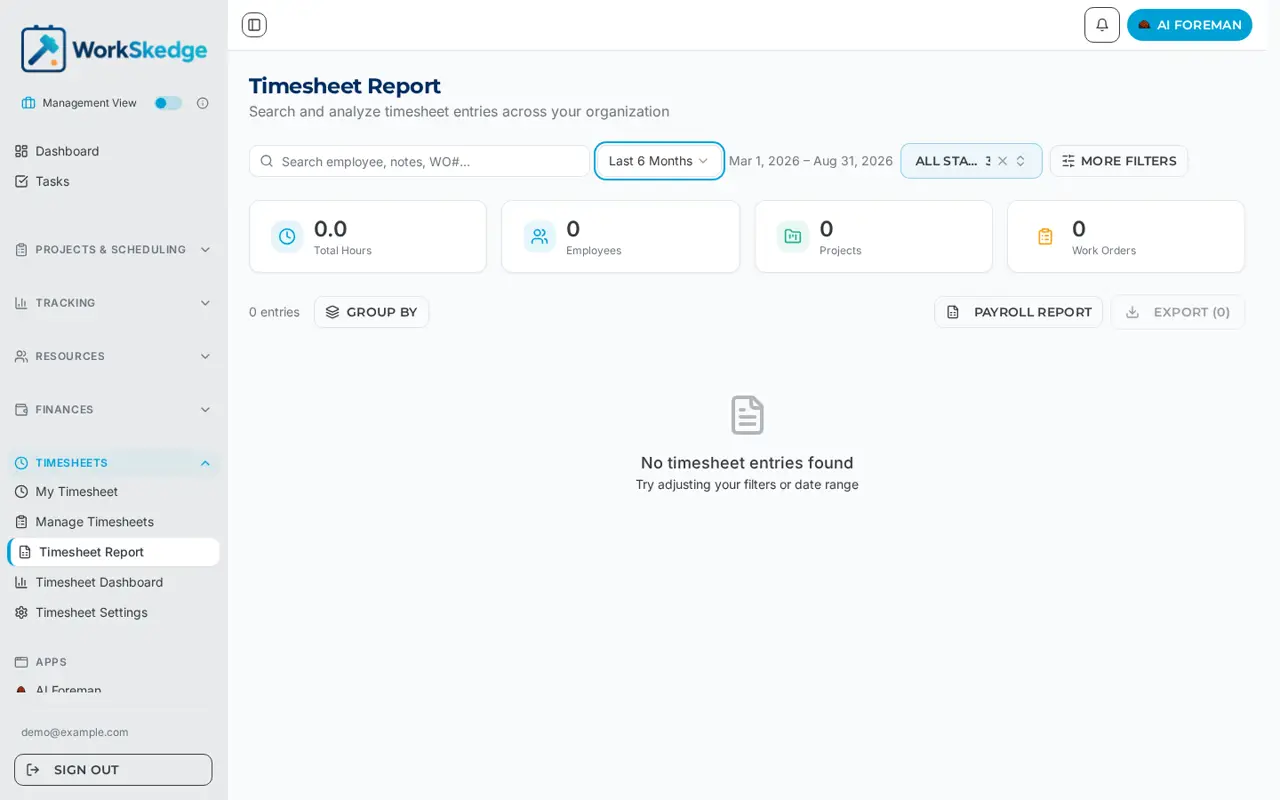
Open Timesheets > Timesheet Report, filter to the period and people you need, then use Export for a CSV or XLSX of the entries, or Payroll Report for the three-sheet payroll workbook. Both exports honour whatever filters are on screen.
On this page
Steps
- 1Open Timesheets > Timesheet Report.
- 2Set the date range for the pay period, and add employee, project, work order, work type or status filters as needed.
- 3Check the Total Hours and Employees tiles match what you expect.
- 4Use Group by if you want the export summarised by employee, date, project, work order or work type.
- 5Click Export for the CSV or XLSX of entries, or Payroll Report for the three-sheet payroll workbook.
- 6Open the workbook and reconcile the Payroll Summary sheet against your payroll system.
Filter first, export second
The Timesheet Report page searches every entry across the company. Filter by date range, employees, work orders, projects, customers, work types and status, then export. Both exports honour the filters currently applied, so what you see is what you get.
The header tiles show Total Hours, Employees, Projects and Work Orders for the current filter, which is a fast sanity check before you export.
Timesheet report export (CSV or XLSX)
Detail rows — one row per timesheet entry, with: Entry Date, Employee Name, Employee Number, Role, Work Order, Work Order Number, Project, Project Code, Customer, Work Type, Work Type Code, Hours, Start Time, End Time, Status, Billable, Multiplier, Notes.
Grouped export — if you have used Group by (employee, date, project, work order, work type), the export mirrors those grouping dimensions plus Hours and Entries totals.
Detail entries are ordered by entry date, then by start time ascending, so a day reads top to bottom in the order the work happened. Hours-only entries with no start time sort after timed entries for that date.
Payroll export (XLSX)
The Payroll Report button produces a workbook with three sheets:
| Sheet | Contents |
|---|---|
| Payroll Summary | One row per employee + work type + role with multiplier, billable flag, hourly rate and total hours. Sorted by employee, then work type. |
| Payroll Hours | Entry-level detail: employee, date, status, total hours, work order, project, work type, role, labour base cost, entry hours, start/end time, notes, locked and processed audit fields, customer. |
| Payroll Report | Grid view — one row per employee / project / work order / work type, one column per day in the period, plus a total column. |
Timesheets are ordered by employee name then timesheet date, and every timestamp is rendered in your company timezone.
Before you export
Lock and process the period first so you are not exporting hours that are still being edited — see How managers review, lock, and process timesheets for payroll. Filter status accordingly: exporting Draft entries will include time nobody has approved.
Multipliers and billable flags come straight from your work types, so if overtime is landing in the wrong column, fix it in work types, not in the spreadsheet.
Frequently asked questions
Does the export include everything or just what is filtered?
Just what is filtered. Both the timesheet report export and the payroll workbook honour the date range, employees, work orders, projects, customers, work types and status currently applied.
What is the difference between Export and Payroll Report?
Export produces the entry-level CSV or XLSX. Payroll Report produces an XLSX workbook with three sheets: Payroll Summary, Payroll Hours and a day-by-day Payroll Report grid.
Why is my export empty?
Almost always the date range or a status filter. Widen the range and confirm the status filter includes the statuses you are after.
Are overtime multipliers included?
Yes. Multiplier and Billable are columns on the detail export, and Payroll Summary rows carry multiplier, billable flag and hourly rate.
Was this article helpful?
Still stuck?
Send us the article name and what you expected to happen.
Last verified August 31, 2026