
How do I fill out my daily timesheet?
Short answer
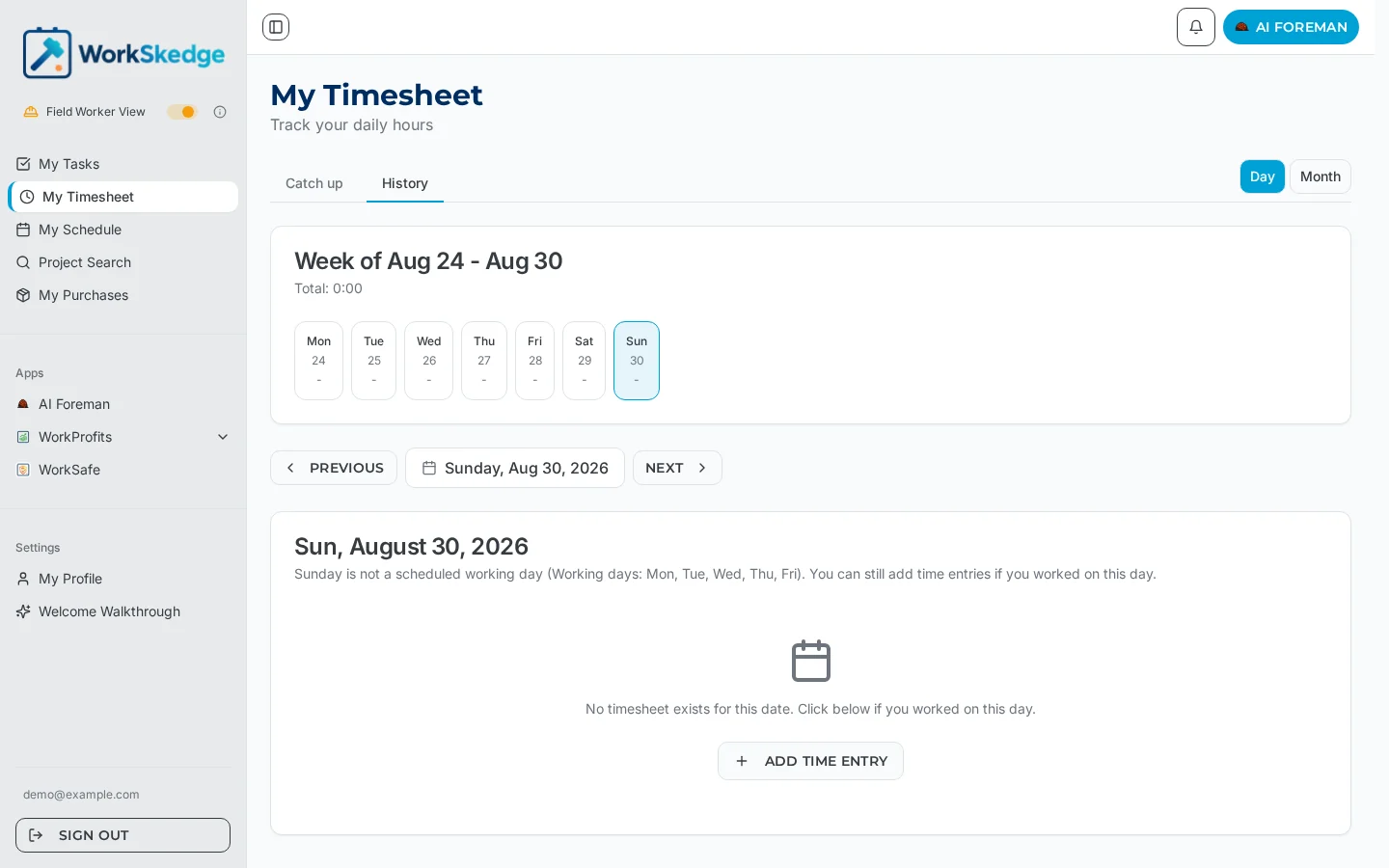
WorkSkedge keeps one timesheet per employee per day. Open the day, auto-populate entries from your scheduled assignments, adjust hours or add entries for unscheduled work, then submit. Entries are only editable while the timesheet is in Draft.
On this page
Steps
- 1Open your timesheet and pick the day from the weekly calendar
- 2Auto-populate entries from your scheduled assignments
- 3Edit hours or add manual entries for unscheduled work (work order + work type)
- 4Add notes where needed
- 5Submit the day — it locks against further edits
Your daily timesheet
Each day gets one timesheet containing your total hours, optional notes, and one or more entries — the individual blocks of work. Each entry records a work order (optional, for billable project work), a work type (required — it determines pay rate and billing), the hours worked or time in/out, entry-level notes, and a break flag for automatic break entries.
Fill it out
- Open your timesheet and navigate to the day with the weekly calendar.
- Use auto-populate to pre-fill entries from your scheduled assignments.
- Adjust hours, or add manual entries for unscheduled work — pick the work order and work type for each.
- Add notes to the day or to individual entries if anything needs explaining.
- Submit the day when it is accurate. Unsubmitted days are flagged with an indicator so you can spot gaps.
Rules to know
- Entries can only be added, edited, or deleted while the timesheet is in Draft. After you submit, only a manager can unlock it for corrections.
- Time rounding is applied automatically to start/end times at your company''s configured interval (5, 10, or 15 minutes). A rounding indicator is shown in the UI, and the rule is configured in Business Profile settings.
- Field workers can enter time offline; entries sync when you are back online.
Frequently asked questions
Why can't I edit my timesheet after submitting?
Submitted timesheets are locked against employee edits while they await manager review. Ask your manager to unlock it — that returns it to Draft so you can make corrections.
What is a work type and why is it required?
The work type categorizes the hours (regular, overtime, travel, and so on) and determines the pay rate and billing treatment, so every entry needs one.
Why did my start time change when I entered it?
That is the company time-rounding rule — times round automatically to the nearest 5, 10, or 15 minutes depending on your Business Profile settings.
Can I enter time without internet?
Yes — field workers can enter time offline and it syncs when connectivity returns.
Was this article helpful?
Still stuck?
Send us the article name and what you expected to happen.
Last verified August 30, 2026