
How do I pull purchase orders, labour and materials onto an invoice?
Short answer
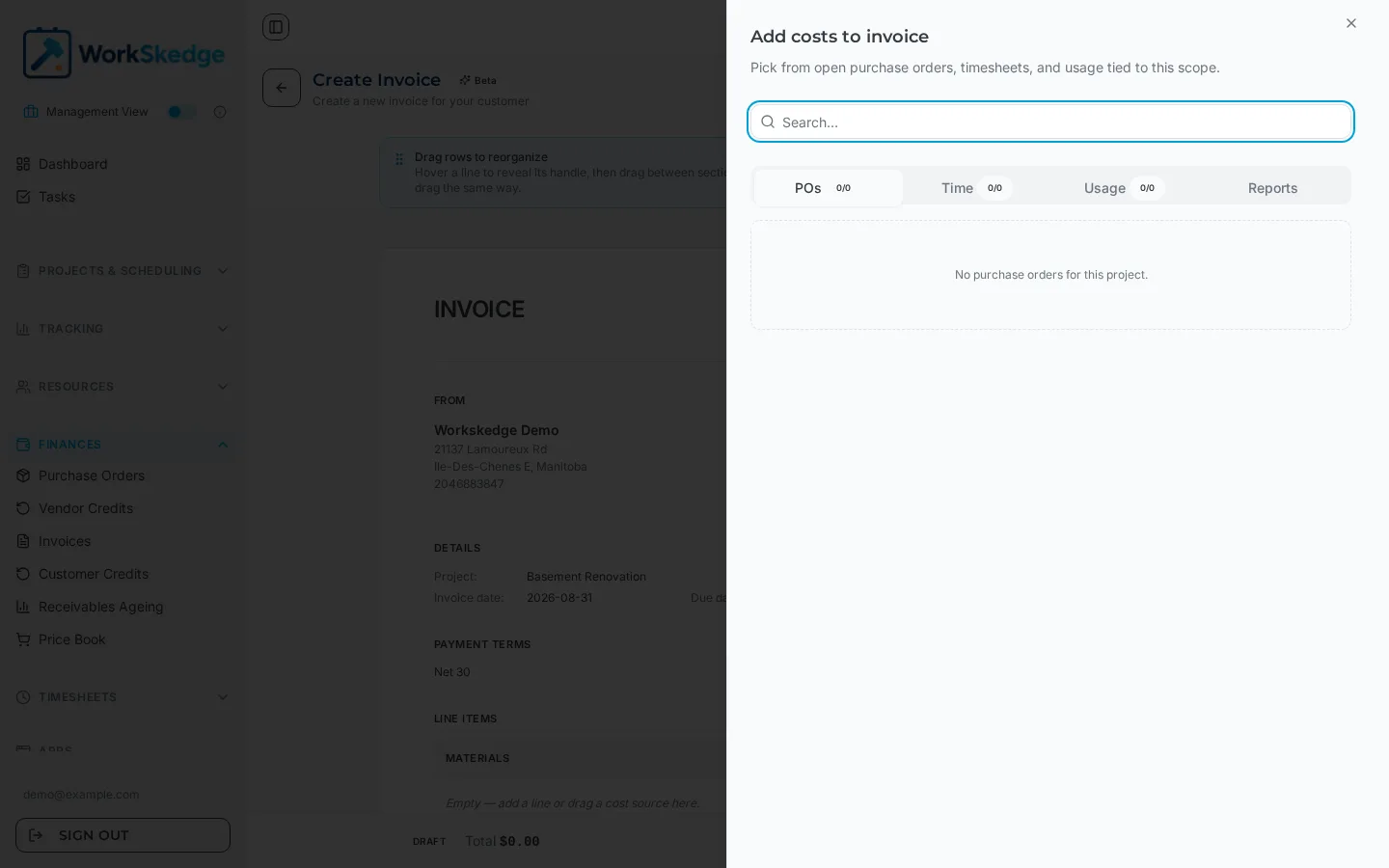
In the invoice builder, pick the project first, then open Add costs. WorkSkedge lists the unbilled purchase orders, approved timesheet labour and usage records tied to that scope, and each one you select becomes its own invoice line so the audit trail back to the source record is preserved.
On this page
Steps
- 1Open Finances > Invoices and click Create Invoice.
- 2In the Invoice details panel, select the project — the customer, location, contacts and PO number fill in automatically.
- 3Close the details panel and click Add costs.
- 4Switch between the POs, Time, Usage and Reports tabs and tick the records you want to bill.
- 5Choose the billing mode: Detailed for time and materials, Summary for flat-rate presentation.
- 6Drag any line you want linked but not printed onto Drag here to hide.
- 7Review the subtotal and total due, then click Create Invoice to save it as a draft.
Where the billable work comes from
WorkSkedge builds invoices from what the field already recorded. The Add costs panel pulls from:
- Usage records — materials and equipment consumed on site
- Purchase orders — approved vendor purchases
- Labour — approved timesheet entries, named as
Labor - [Employee] - [Date] - Vendor credits — open credits, added as negative lines that reduce the total
Each source record becomes an individual line item rather than one lumped figure, so every dollar on the invoice can be traced back to the timesheet, PO or usage record it came from.
Detailed or summary presentation
Every invoice has a billing mode:
| Mode | What the customer sees | Use it for |
|---|---|---|
| Detailed (T&M) | Description, quantity, unit, unit price and total | Time and materials work where the customer expects full transparency |
| Summary (flat rate) | Description and total only | Lump-sum and fixed-price contracts |
The billing mode is always editable on the invoice form, so you can pull the same costs and change how much detail prints.
Costs you want linked but not printed
Drag a line onto Drag here to hide and it moves to Linked but hidden. Hidden lines stay attached to the invoice for internal cost and margin tracking but are excluded from the subtotal and from the printed invoice. That is how fixed-price billing works: link every cost for traceability, then bill the contracted amount through sections you create with Add section.
Before you can pull anything
Labour only appears once the timesheets are approved — see How managers review, lock, and process timesheets for payroll. Purchase orders need to be approved, and everything must be scoped to the project (and work order, if you set one) on the invoice.
Frequently asked questions
Why is there no labour showing in the Add costs panel?
Labour only becomes billable once the timesheet entries are approved, and only entries tied to the selected project or work order appear.
Can I bill a fixed price but still track my real costs?
Yes. Link the costs, drag them into Linked but hidden, and bill the contracted amount through the sections you add. Hidden lines are kept for internal cost and margin analysis and are excluded from the subtotal.
How do vendor credits appear on the invoice?
As a single negative line item named after the credit number with a (Credit) suffix, which reduces the invoice subtotal.
Will the customer see the employee names on labour lines?
In Detailed mode, yes — labour lines are formatted as Labor - Employee - Date. Switch the invoice to Summary mode if you only want descriptions and totals to print.
Was this article helpful?
Still stuck?
Send us the article name and what you expected to happen.
Last verified August 31, 2026