
Roles, departments and who can do what
Short answer
How WorkSkedge system roles, multi-role assignment, employee type flags and departments combine to decide what each person on your team can see and do.
On this page
Before you start
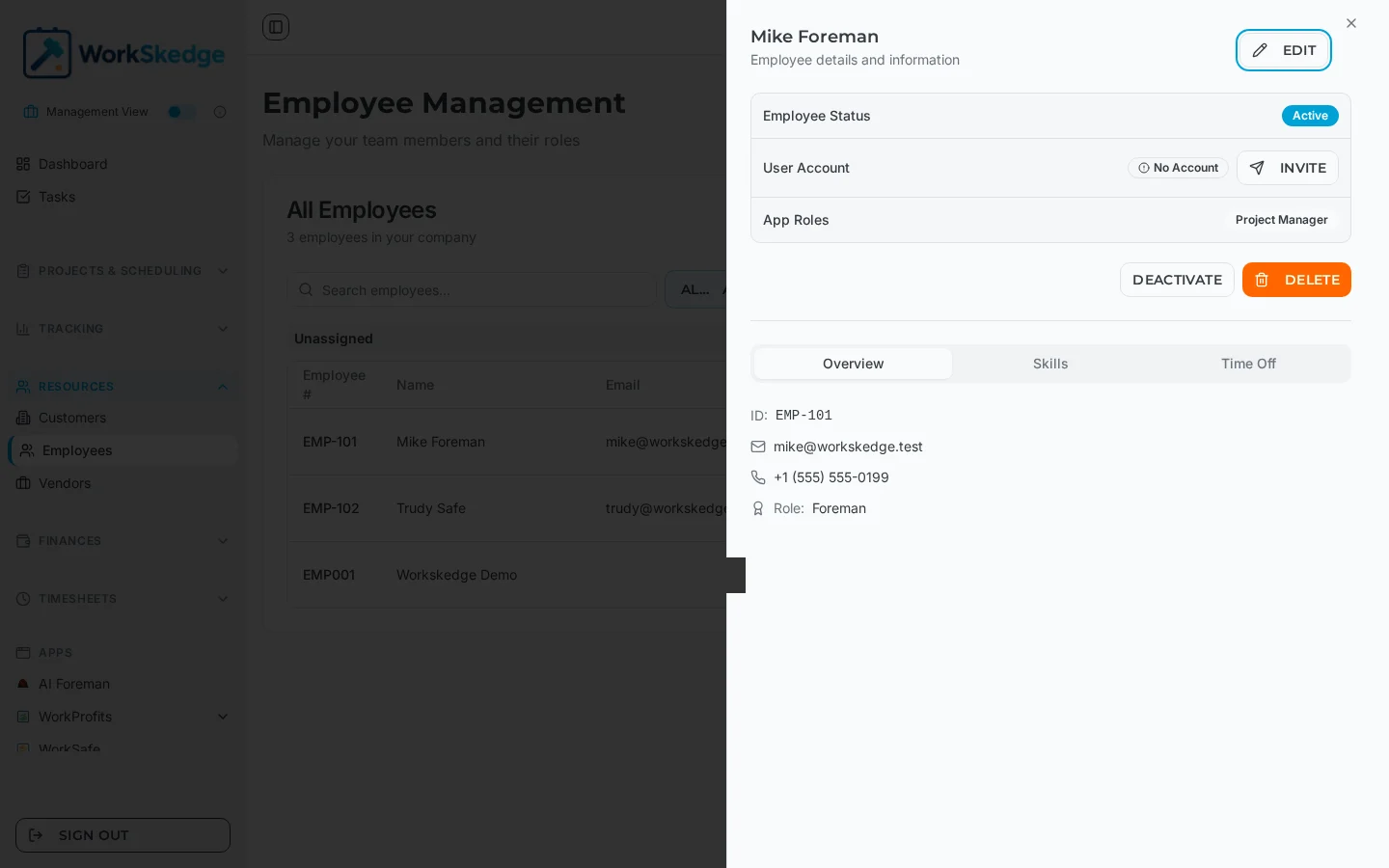
Roles are assigned on the employee record, and only an Administrator can grant the Administrator role. Every employee needs at least one role, because the role is what builds their navigation and access.
Steps
- 1Open Employees under Resources and click the person you want to change.
- 2Click Edit on their detail panel.
- 3Add or remove system roles - multiple roles can be held at once.
- 4Set the designation flags for project manager, site lead or site worker as needed.
- 5Pick a department, or create one inline if it does not exist yet.
- 6Save. The new access applies on their next page load.
System roles
- Administrator - full system access and configuration.
- Manager - manages projects, work orders and employee assignments.
- Scheduler - focused on scheduling and resource allocation.
- Project Manager - oversees specific projects and their work orders.
- Site Lead - runs field operations and reporting from the work site.
- Site Worker - schedule visibility and timesheet submission.
Multiple roles stack
An employee can hold several roles at once, and the access checks use inclusive OR logic - the person gets the union of everything their roles allow. Common pairings:
- Scheduler + Manager, for someone who both books the work and runs operations.
- Project Manager + Manager, for full management access with project ownership.
- Site Lead + Site Worker, for a lead who also performs field work.
Because roles are company-scoped, the same person can belong to more than one company with a different role in each.
Designation flags versus roles
Roles decide access. The three designation flags decide where the person can be assigned:
- Project manager - can be set as the manager responsible for a project.
- Site lead - can lead work orders and manage field operations.
- Site worker - performs the tasks on a work order, and can submit timesheets when the timesheets module is on.
Departments
Departments group employees for organisation, list grouping and filtering. You can create one on the fly from the department dropdown when adding an employee, or pick an existing one. A CSV import will create a missing department automatically from the name you supply.
Notes and limits
- Changing a role takes effect immediately - the person does not need to sign out. Their navigation updates on the next page load.
- Managers can assign every role except Administrator.
- What a role can reach also depends on your plan: modules your subscription does not include will not appear regardless of role.
Frequently asked questions
Can somebody hold two roles at the same time?
Yes. Roles stack with inclusive OR logic, so the person gets the combined permissions of every role they hold.
What is the difference between the Site Lead role and the site lead flag?
The role controls what they can see and do in the app. The flag controls whether they can be picked as the site lead on a work order.
Who can grant the Administrator role?
Only an Administrator. Managers can assign every other role.
Does a role change require signing out?
No. It applies immediately and shows up on the next page load.
Do departments affect permissions?
No. Departments are an organisational grouping used for lists, filters and reporting - access comes from roles.
Was this article helpful?
Still stuck?
Send us the article name and what you expected to happen.
Last verified August 31, 2026