
Add your crew and assign roles
Short answer
No employees means no scheduling, no dispatch and no timesheets. Add real crew members with contact details, skills and certifications, then assign each person one or more of the ten WorkSkedge roles — permissions are the union of every role they hold.
On this page
Before you start
You need the Administrator or Manager role. Every employee needs at least one role, and only Administrators can grant the Administrator role.
Steps
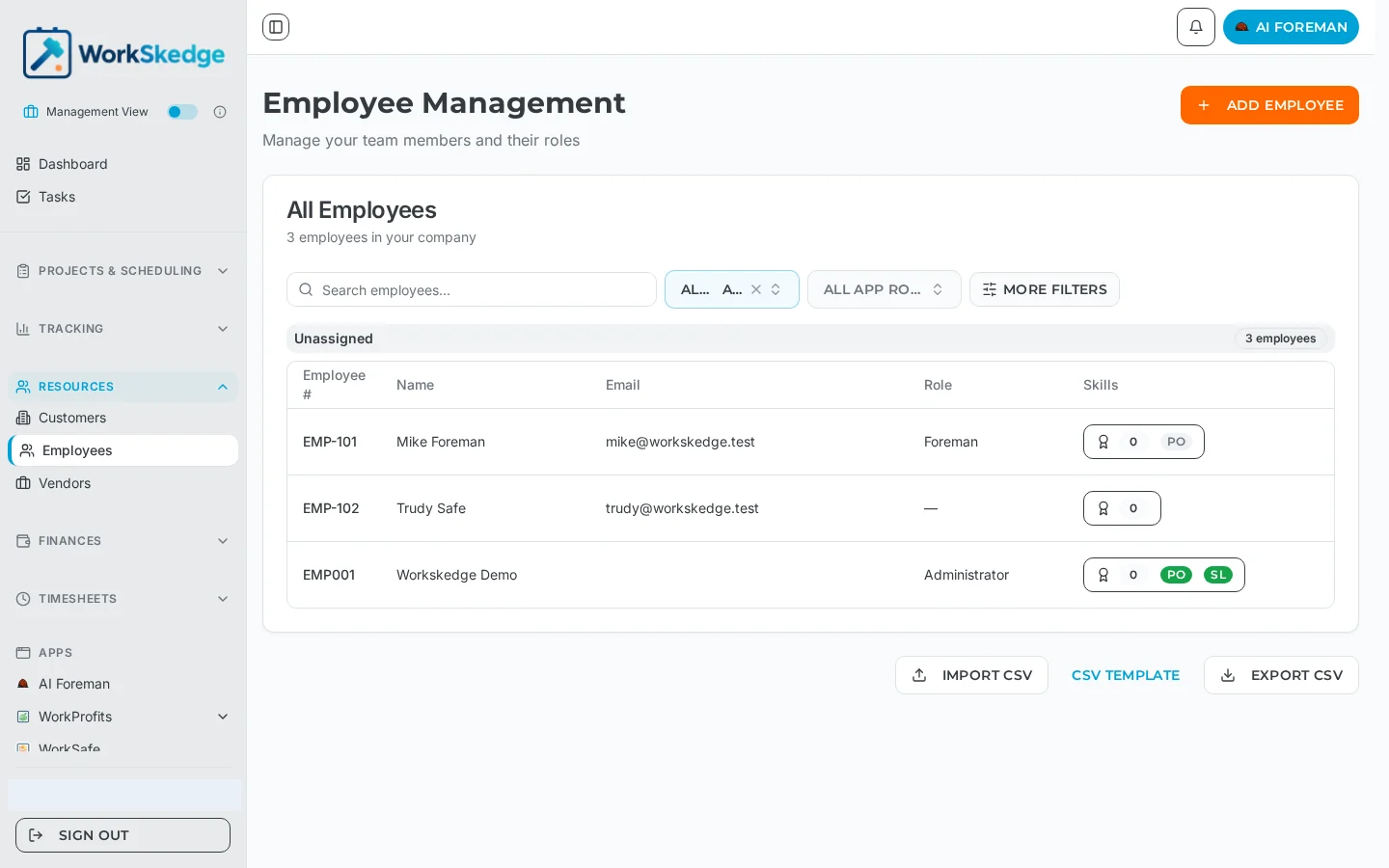
- 1Open Resources > Employees.
- 2Click Add Employee and fill in name, email, phone and emergency contact.
- 3Assign one or more roles from the role checkbox group.
- 4Add skills and certifications, including expiry dates where they apply.
- 5Save the record to create the employee and send the invitation.
- 6Repeat for the rest of the crew, or use Import CSV for a bulk load.
The ten roles
Management — Administrator (full company access including users and settings), Manager (projects, work orders, employees and reports), Scheduler (schedules and work order assignments), Project Manager (their own assigned projects and work orders), Safety Manager (safety across projects, scheduling and employees).
Office — Office Administrator (timesheets, invoices, purchase orders and vendors), Finance Coordinator (audit and finalise financial data, process payments, close projects).
Field — Site Lead (leads field teams and submits reports), Site Worker (completes assigned work and submits timesheets).
There is also a platform-level Super User role used for administration across companies.
Who does what, in practice
- Manager owns projects and work orders end to end and is the primary operations role.
- Scheduler builds the board and assigns crews, and can see all timesheets to plan around availability, but cannot lock or process them.
- Project Manager works only on projects they own — they cannot touch another PM''s projects.
- Office Administrator handles data hygiene and payroll processing but does not see projects or work orders directly.
- Site Lead submits daily progress and completion reports and can self-assign to ready or active work orders.
- Site Worker executes assigned tasks, fills in scope cards and submits their own timesheet and receipts.
Notes and limits
Add skills and certifications while you are creating the employee — certification expiry drives the alerts and the skill matching used by scheduling. Employees can also be imported in bulk with the CSV import on the employee list.
Troubleshooting
"Email already exists". Every employee email must be unique inside your company. Search the existing employee list — the person is usually already there, sometimes deactivated rather than deleted.
You cannot link a user account to an employee. The employee record has to exist first, and each employee can be linked to only one user account. If the employee already has a login linked, unlink that one before attaching another.
A new user cannot sign in. Invitations have to be accepted from the emailed link before the account works. Resend the invitation if the original expired or went to a stale address.
Frequently asked questions
How many roles can one person have?
As many as needed. Permissions are the union of every assigned role, so a Manager who also runs crews can hold Manager and Site Lead.
Can a Manager create another Administrator?
No. Only an Administrator can assign the Administrator role. Managers can assign every other role.
Can I import employees instead of typing them in?
Yes. The employee list has Import CSV along with a downloadable CSV template and an export.
Do I have to add skills straight away?
No, but scheduling uses skills and certification expiry to match and warn about qualified workers, so adding them early makes dispatch far more useful.
What does the Finance Coordinator role cover?
Auditing and finalising financial data, processing payments and closing projects. They can view projects and reports and change work order status, but do not create projects or schedules.
Was this article helpful?
Still stuck?
Send us the article name and what you expected to happen.
Last verified September 1, 2026