
What does an installed app's detail page show?
Short answer
Overview, API Tokens, Token Packs, Webhooks, Activity Log and Settings — usage counts, the events the app listens for, its delivery history and its access rules.
On this page
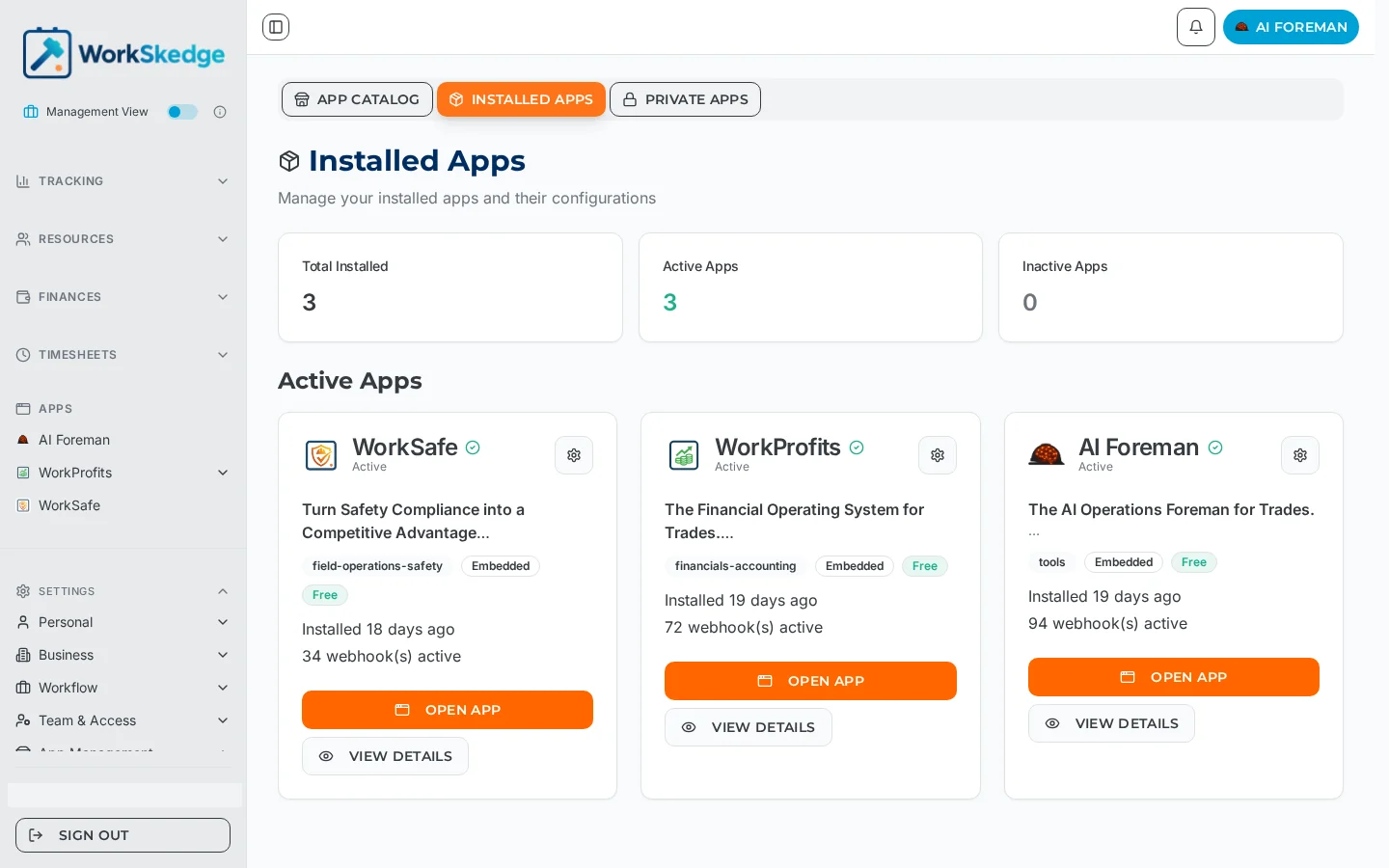
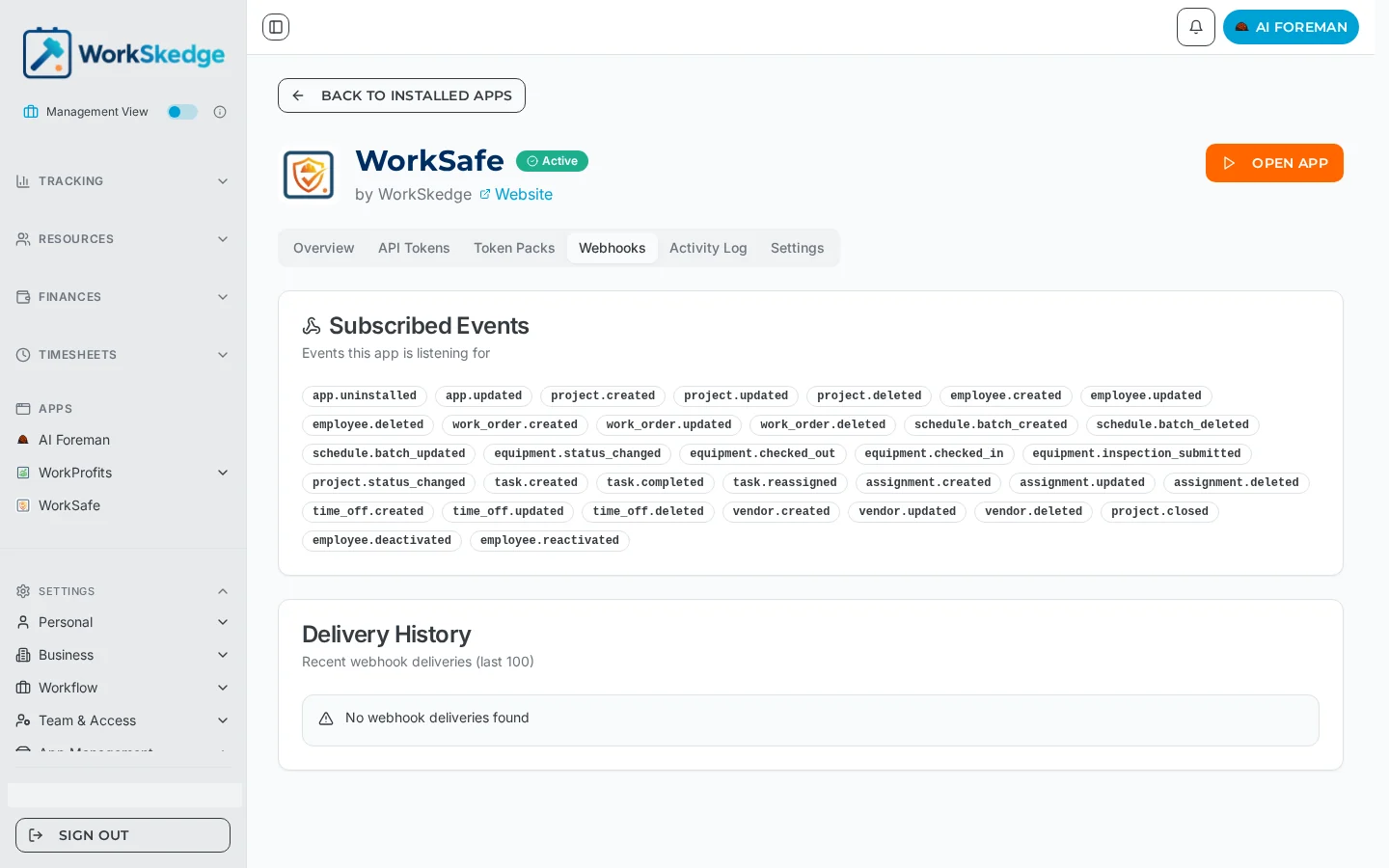
From Apps → Installed Apps, View Details opens the app's own page with six tabs. Overview shows API Calls in the last 30 days, Active Tokens, Webhook Events subscribed and Last Activity, plus Installation Details (status, install date, category, whether embedding is supported). API Tokens and Token Packs cover the app's credentials and usage allowance, Webhooks lists every event it is subscribed to and its recent delivery history, Activity Log is the audit trail, and Settings holds the on/off toggle and Access Control.
What each tab is for
| Tab | Use it to |
|---|---|
| Overview | Confirm the app is Active and actually being used — API call count and last activity. |
| API Tokens | See the credentials issued to this install. |
| Token Packs | Check the app's usage allowance where one applies. |
| Webhooks | See the subscribed events (e.g. work_order.created, project.status_changed, equipment.checked_out) and the last 100 deliveries. |
| Activity Log | Review what the app has been doing over time. |
| Settings | Switch the app on or off and choose which roles can open it. |
Notes and limits
- Webhook Events / Subscribed on Overview is the count of event types the app listens for, not the number of messages sent.
- Delivery History keeps the most recent 100 deliveries; "No webhook deliveries found" simply means nothing has fired yet.
- Open App at the top right launches an embedded app; headless apps have no screen to open.
- Every installed app card also shows how long ago it was installed and how many webhooks are active.
Common errors
- API Calls is 0 — the app has not called WorkSkedge yet, or it is switched off under Settings → App Status.
- The app is listed but marked Inactive — turn it back on from the Settings tab.
- Events you expected are missing from Webhooks — the subscription list is set by the app; contact the app's publisher.
What it looks like in WorkSkedge
Frequently asked questions
Where do I check whether an app is actually working?
Installed Apps → View Details → Overview. API Calls (last 30 days) and Last Activity tell you if the app is live; the Webhooks tab shows recent deliveries.
What does the webhook events count mean?
It is the number of event types the app is subscribed to, such as project.created or equipment.checked_in — not the number of messages delivered.
Why is Delivery History empty?
No matching events have occurred since the app was installed. The list holds the most recent 100 deliveries once they start.
Can I change which events an app receives?
No. The subscription list belongs to the app and is shown for transparency.
There is no Open App button — is the app broken?
Not necessarily. Headless apps have no screen inside WorkSkedge and only sync in the background.
Was this article helpful?
Still stuck?
Send us the article name and what you expected to happen.
Last verified September 1, 2026