
What do the purchase order statuses mean?
Short answer
A PO moves Draft → Submitted → Approved → Received → Billed, with Rejected, Partially Received, Partially Billed and Cancelled along the way. POs under your auto-approval threshold are approved the moment they are submitted.
On this page
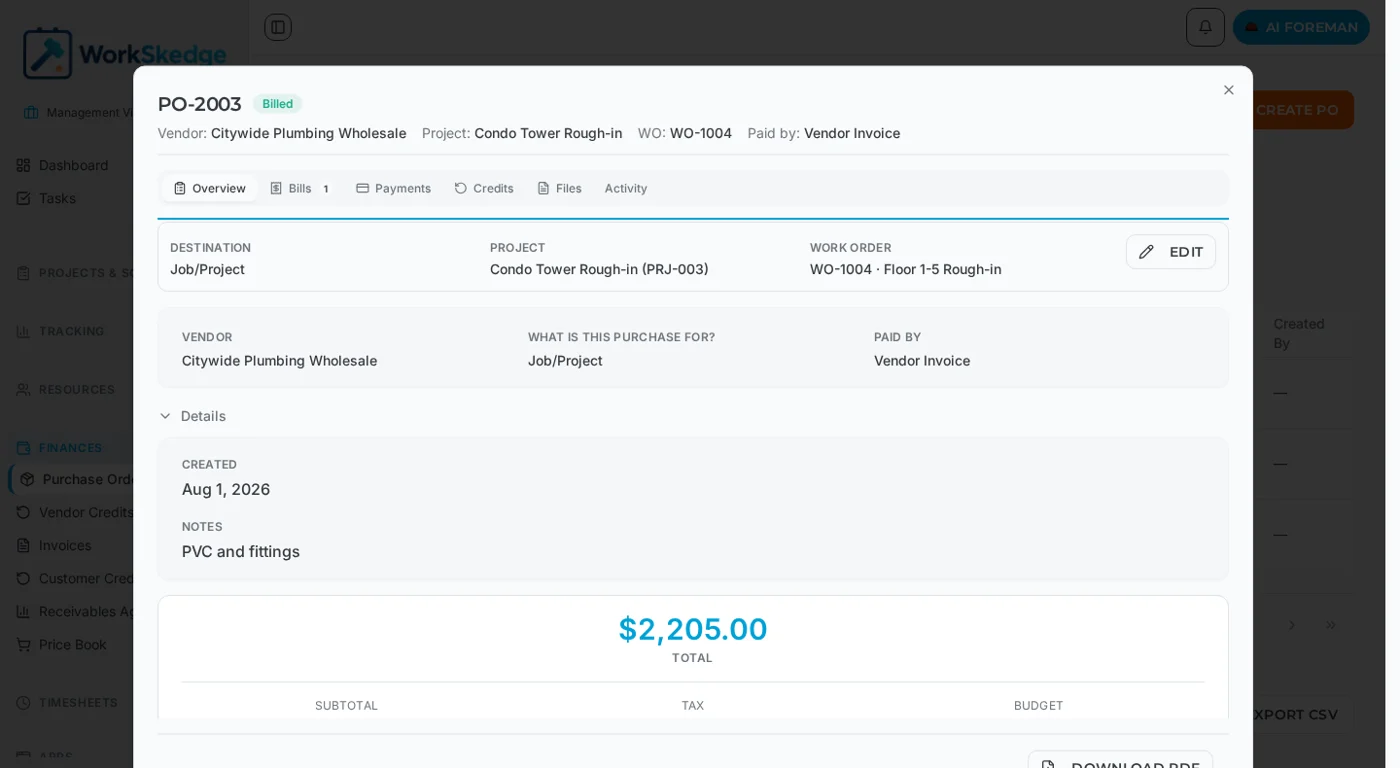
Every purchase order carries a status that tells you exactly where it sits between "someone typed it in" and "we have paid for it". The main path is Draft → Submitted → Approved → Received → Billed, with a payment recorded at the end. Rejections, partial receipts, partial billing and cancellations branch off that path.
Steps
- 1Open Finances → Purchase Orders.
- 2Use the All / Open / Received / Billed tabs or the Status filter to find the POs you care about.
- 3Click a PO to open it and read its current status next to the PO number.
- 4Submit a draft when it is ready for review.
- 5Approve or reject submitted POs, adding a reason on a rejection.
- 6Check the Activity tab to see who changed the status and when.
Status flow
Draft → Submitted → Approved → Received → Billed → [Payment Recorded]
              ↘ Rejected        ↘ Partially Billed → Billed
↘ Cancelled (from most statuses)| Status | Meaning |
|---|---|
| Draft | Work in progress, not yet submitted for review |
| Submitted | Sent to a manager for approval |
| Approved | A manager has approved the PO |
| Rejected | A manager has declined the PO |
| Partially Received | Some items have been received |
| Received | All items or services received |
| Partially Billed | One or more bills recorded, but total billed is under the PO total |
| Billed | Fully billed — bills total at least 99% of the PO total |
| Cancelled | Cancelled, no further action |
Approval thresholds
Approval behaviour is set in Settings → Finance → Purchase Orders:
- Require approval threshold — POs at or above this amount need a manager''s approval.
- Auto approve below threshold — POs under that amount are approved automatically when they are submitted.
- Reimbursement approval threshold — the equivalent ceiling for reimbursement requests.
Who gets told
WorkSkedge notifies people at each key point: the manager when a PO is submitted, the requester when it is approved or rejected, the relevant team when it is received, and a confirmation when a payment is recorded.
Notes and limits
- A PO can be cancelled from most statuses, so a mistake never has to be worked around.
- Rejections can carry a reason so the requester knows what to change.
- Every status change is written to the PO''s Activity tab as an audit trail.
- Reimbursement POs skip receive and bill entirely — they jump to Billed on approval.
Common errors
- PO stuck in Partially Billed — the bills recorded so far add up to less than 99% of the PO total. Record the remaining vendor invoice, or adjust the line items.
- PO went straight to Approved — it was below your auto-approval threshold. Lower the threshold if you want every PO reviewed.
Frequently asked questions
Do I have to receive a PO before I can bill it?
No. POs in Approved, Partially Received, Received or Partially Billed can all be billed. Receiving is a record of goods arriving, not a gate on billing.
When does a PO become Billed instead of Partially Billed?
Once the bills recorded against it total at least 99% of the PO total. Below that it stays Partially Billed.
Can a purchase order be approved automatically?
Yes. If your company sets an auto-approval threshold in Settings → Finance → Purchase Orders, any PO below that amount is approved as soon as it is submitted.
Can I cancel a purchase order?
Yes — cancellation is available from most statuses. A cancelled PO takes no further action and the record is preserved for audit.
Who is notified when a PO is submitted?
The approving manager. The requester is then notified of the approval or rejection, and the relevant team members are notified when the PO is received.
Was this article helpful?
Still stuck?
Send us the article name and what you expected to happen.
Last verified August 31, 2026