
How do I add an equipment rate to the Price Book?
Short answer
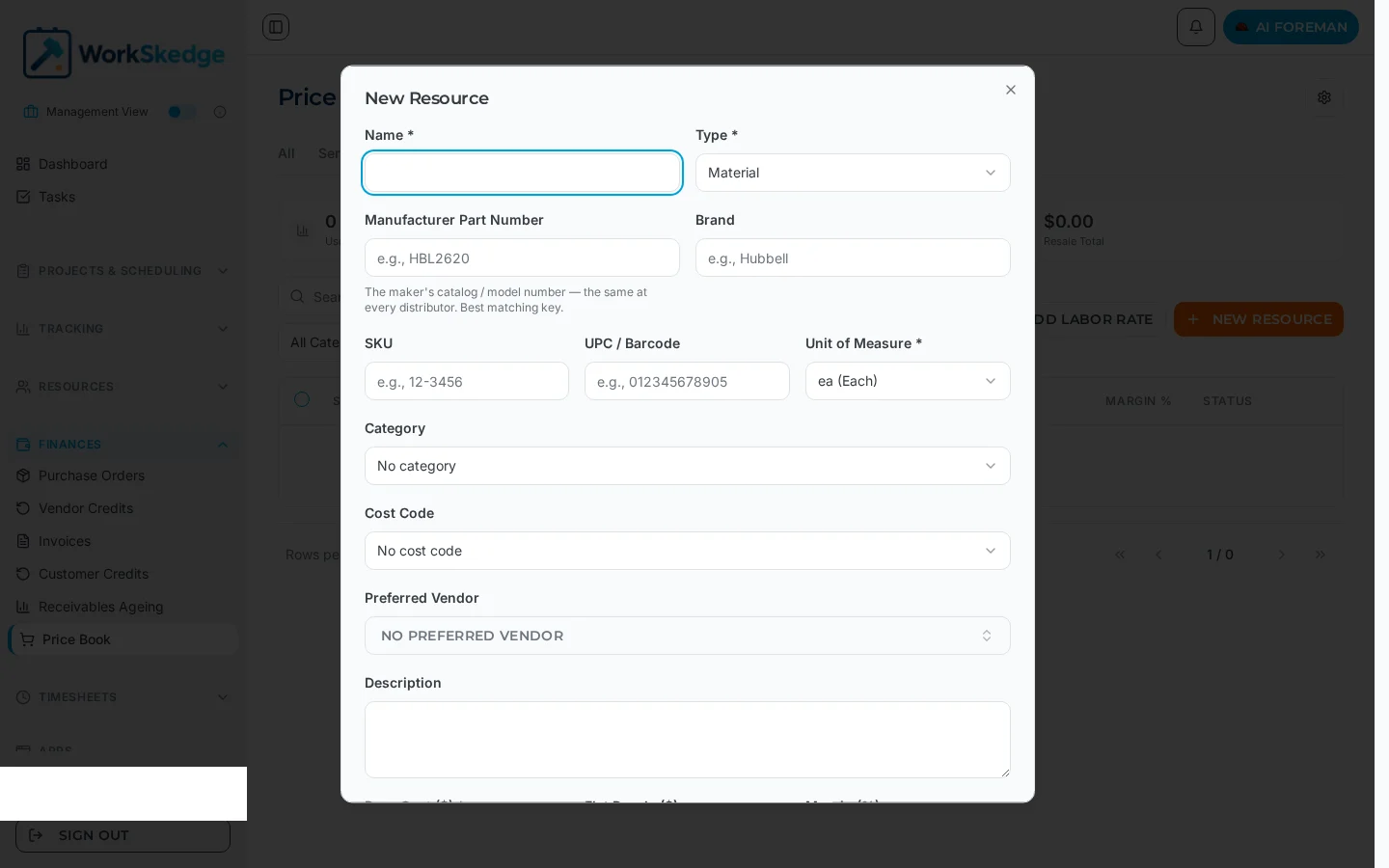
Open the Price Book, choose New Resource, set the Type to Equipment, then fill in the unit of measure, base cost and either a flat resale price or a margin.
On this page
Equipment rates live in the Price Book alongside Materials and Labor. Create one resource per billable machine type — Excavator, Generator, Boom Lift — and the rate is then available on work orders, purchase orders and invoices, and to any physical asset you link to it.
Before you start
The Price Book is available whenever the Finances module is active, and it is always on. Open Price Book from the main menu. Set your default margin first if you want new resources to inherit it: Settings → Finance Settings → Products tab, field Default Product Margin %.
Steps
- 1Open Price Book from the main menu.
- 2Click New Resource.
- 3Enter the Name and set Type to Equipment.
- 4Set the Unit of Measure (hr, km, day and so on).
- 5Add category, cost code and preferred vendor if you use them.
- 6Enter the Base Cost.
- 7Enter a Flat Resale price or a Margin (%).
- 8Leave Active and Billable on and click Create Resource.
Steps
- Open Price Book from the main menu.
- Click New Resource.
- Enter the Name and set Type to Equipment.
- Set the Unit of Measure — hourly equipment usually bills per
hr, a vehicle perkmormile, a rental perday. - Optionally add the SKU, manufacturer part number, brand, UPC/barcode, category and Cost Code (for example EQUIPMENT - Rentals, Fuel) so the cost lands in the right bucket on the job.
- Enter the Base Cost — what the machine costs you per unit.
- Enter a Flat Resale price or a Margin (%). Leave both blank to fall back to your default product margin.
- Leave Active and Billable on, then click Create Resource.
What to fill in
| Field | Why it matters |
|---|---|
| Type | Must be Equipment for the resource to accept linked assets. |
| Unit of Measure | The unit every usage record and invoice line is counted in. |
| Base Cost | Your cost per unit; drives job costing and margin. |
| Flat Resale / Margin % | The customer price. A flat resale price wins over a margin. |
| Cost Code | Where equipment cost rolls up in job costing. |
| Preferred Vendor | Handy where the machine is rented in rather than owned. |
Notes and limits
- Pricing follows the waterfall: item-level override, category override and flat resale price all take priority over the default product margin.
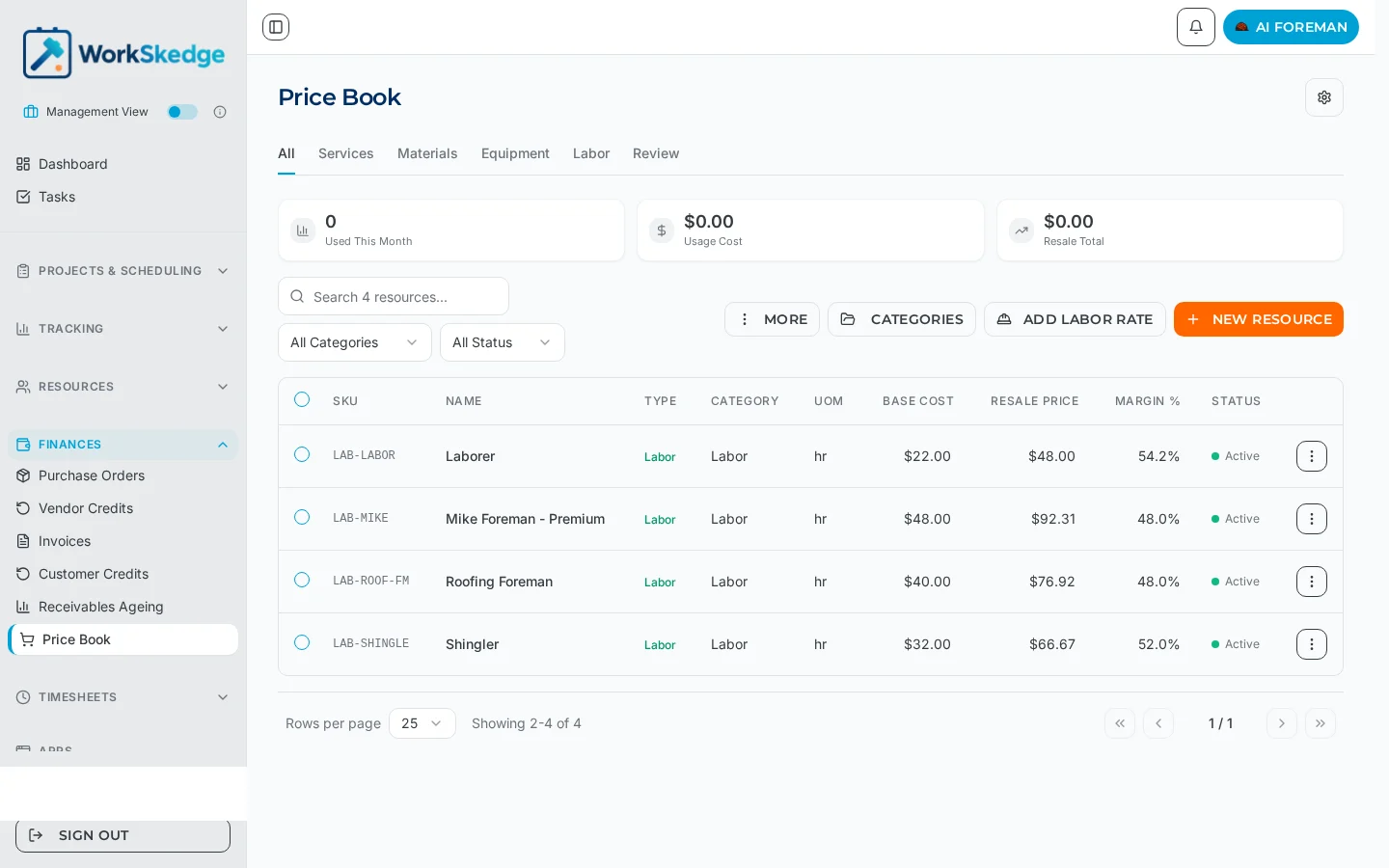
- The Equipment tab of the Price Book filters the list to equipment resources only, so use it to review your rates.
- Equipment resources hide the Usage History section in the product drawer — equipment usage comes from Equipment Ledger check-ins instead.
What it looks like in WorkSkedge
Frequently asked questions
Where do I set the default margin for new resources?
Settings → Finance Settings → Products tab, field Default Product Margin %. New resources created manually or accepted from the Review Queue inherit it, unless an item, category or flat resale price overrides it.
Can I bill equipment per day instead of per hour?
Yes. The unit of measure is yours to choose — day, hr, km, mile and many others are available on the resource form.
Do I have to enter both a base cost and a resale price?
Base Cost is required. Resale can come from a flat price, a margin on the resource, a category override or your default product margin.
Why does my equipment resource show no usage history?
That section is hidden for equipment-type resources on purpose. Equipment usage is recorded through Equipment Ledger check-ins rather than manual usage entries.
Can I deactivate an old machine rate without deleting it?
Yes — turn Active off on the resource. History keeps its price snapshot and the rate stops appearing for new selections.
Was this article helpful?
Still stuck?
Send us the article name and what you expected to happen.
Last verified September 1, 2026