
WorkSkedge Pricebook: Your Blueprint for Profit
WorkSkedge Team, Field operations and construction software specialists · August 17, 2026 · 7 min read · Updated August 25, 2026
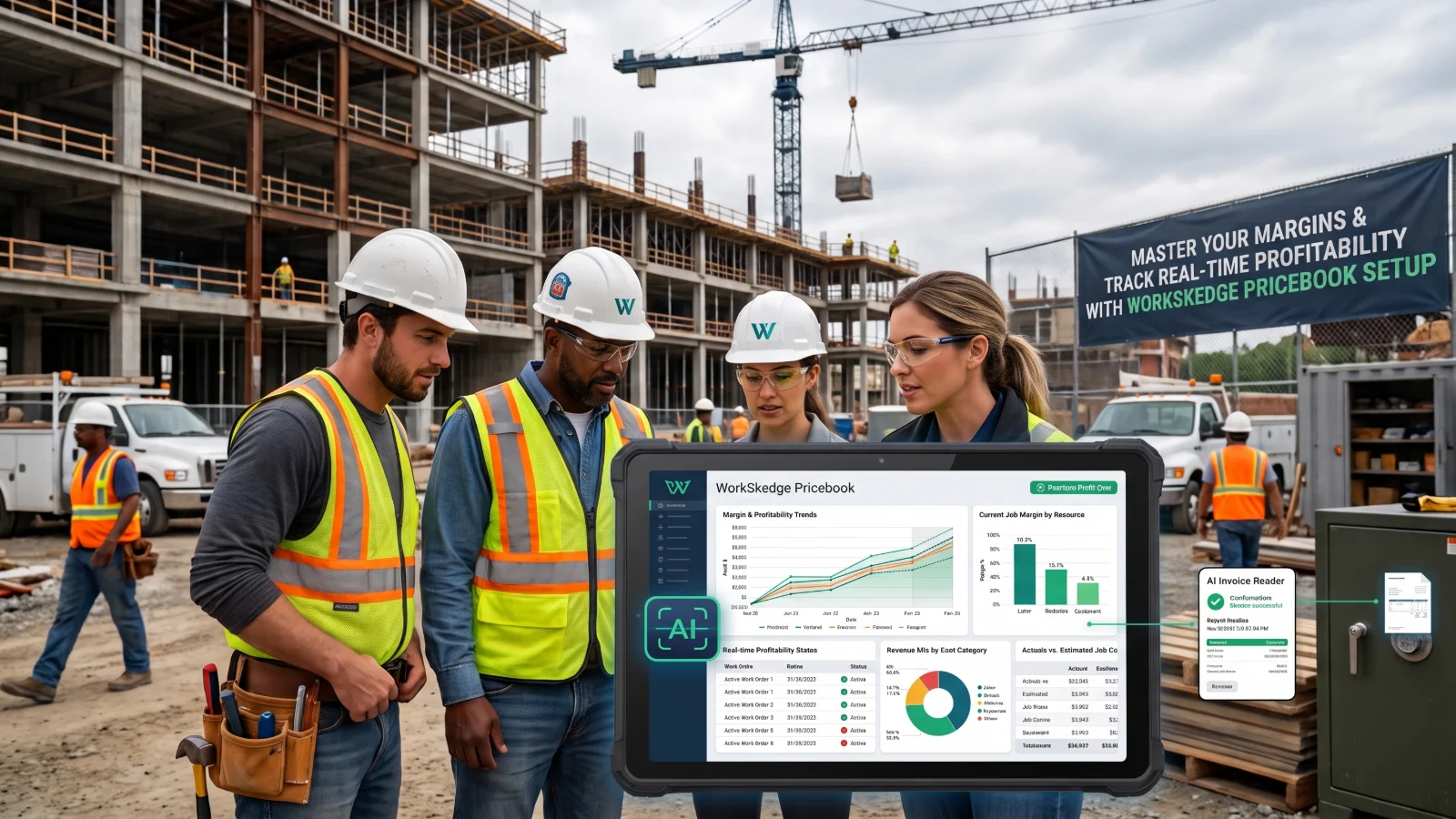
Learn how to configure the WorkSkedge Pricebook to accurately track material, equipment, labor, and service costs while managing resale prices and job margins.
Inconsistent pricing, inaccurate job costing, and difficulty tracking real-time profitability across resources can erode your bottom line and operational efficiency.
Master Your Margins: WorkSkedge Pricebook Setup for Contractors
Inconsistent pricing, inaccurate job costing, and difficulty tracking real-time profitability across resources can erode your bottom line and operational efficiency. This guide shows owners, operations managers, dispatchers, and crew leads how to set up and manage the WorkSkedge Pricebook setup to accurately track costs, set resale prices, and monitor job profitability.
TL;DR
- The WorkSkedge Pricebook is your central hub for all billable items and costs.
- Accurate setup of
material,equipment,labor, andserviceproducts ensures correct cost and resale calculations. - A five-level pricing waterfall determines final resale prices, allowing flexible margin control.
- AI Invoice Reader automates data entry for materials and equipment, saving time and improving accuracy.
Understanding the WorkSkedge Pricebook Structure
The WorkSkedge Pricebook is the core of your financial operations. It is always active within the Finances module and serves as your master list for every item you invoice for or use on a work order. Every item in your Pricebook is a product. WorkSkedge supports four types: material, equipment, labor, and service. Each product has key attributes that define its use and financial impact:
sku: Your internal stock-keeping unit.base_cost: Your cost to acquire or provide the item.unit_of_measure: How you track the item (e.g., "each," "hour," "foot").flat_resale_override: A fixed selling price that overrides margin calculations.item_margin_pct: The target percentage markup for this item.category_name: How you group similar items for reporting.description: A clear explanation of the product.tax_category: How taxes apply to this item.is_active: Indicates if the item is currently in use.is_billable: Indicates if usage of this item appears on customer invoices.
Accurate setup of these details ensures that when a crew uses a fitting or an hour of labor, the system correctly calculates costs and customer invoices.
Configuring Pricing Rules and Margins
WorkSkedge uses a five-level pricing waterfall to determine the final resale_price for any product. This system ensures consistent and flexible pricing:
flat_resale_override: If a specific resale price is set for an item, it takes precedence over all other calculations.item_margin_pct: If no flat override exists, WorkSkedge applies the margin percentage set directly on the product. Theresale_priceis calculated asbase_cost / (1 - margin_pct / 100).product_categories.margin_pct: If item-specific pricing is not set, the system uses the margin percentage defined for the product's category. This applies consistent margins across groups of similar items.finance_settings.default_product_margin_pct: If no specific margin is found at the item or category level, WorkSkedge defaults to the company-wide product margin percentage. This is configurable underSettings → Business → Finance Settings → Purchase Orderstab.base_cost: If all other pricing rules are absent, the item is invoiced at its base cost. This results in no profit.
For material and equipment, base_cost is the acquisition cost. For labor, WorkSkedge calculates a cost_basis by factoring in the burden_pct (payroll taxes, benefits, etc.) to determine the true burdened cost. This accounts for all employee-related costs beyond hourly wages. The calculate_resale_price RPC performs these calculations. Additionally, customers.discount_pct can be applied at the customer level, adjusting the final resale price on their invoices. This layered approach helps you calculate real-time margins WorkSkedge for every work order.
Managing Resources: Materials, Equipment, Labor, and Services
Your Pricebook is a dynamic inventory of everything required to complete a work order. WorkSkedge categorizes these into four types for proper tracking and invoicing:
type: "material": Consumable items or installed components like nuts, bolts, pipes, and wires. Each material has abase_cost,unit_of_measure, and can have its ownflat_resale_overrideoritem_margin_pct. This allows for precise WorkSkedge material pricing.type: "equipment": Tools, machinery, and rental items. Similar to materials, equipment has abase_cost,unit_of_measure, and pricing rules. This could be a daily rental rate for a trencher or a per-use charge for a specialized tool, enabling accurate WorkSkedge equipment rental pricing.type: "labor": Defines your workforce. Labor products are tied to specific roles or individual employees. Key fields includeemployee_id,employee_emp_number,min_billing_increment(e.g., 15 minutes),internal_overhead_rate,burden_pct,is_role_default, androle_name. This allows tracking the true cost of an hour of work for different roles and invoicing it appropriately, supporting accurate WorkSkedge labor rates.type: "service": Resold offerings such as a standard installation package, a per-square-foot build, or a recurring maintenance plan. Services function like materials for invoicing, usingbase_cost,flat_resale_override,item_margin_pct, andunit_of_measure. They are selectable under the Services tab in field reports and automatically included in invoices. Services are not PO-able; they are customer-facing items. This helps you manage service prices WorkSkedge effectively.
When a product is added or updated, a product.created event triggers, notifying other system components. For bulk uploads, the pricebook_template.csv ensures correct formatting for all fields.
Streamlining Material and Equipment Tracking with AI
Manual entry of material and equipment receipts is time-consuming. WorkSkedge's AI Invoice Reader reduces this manual effort. When you receive a vendor invoice or store receipt, use the AI Invoice Reader in the Purchase order > Bill section or by selecting Scan New Upload on a purchase order form. If only one file is attached to a receipt approval dialog, it scans automatically. The AI extracts critical information:
- Vendor details: Name, address, contact information.
- Document specifics: Invoice number, PO number, invoice date, payment terms, due date.
- Line items: Description, SKU, quantity, unit of measure, unit price, and whether the item is
materialorequipment. - Financials: Taxes (by name, rate, and amount) and totals (subtotal and total).
- Backorders: Identifies items marked as backordered.
After scanning, a review dialog displays all extracted data. This data is fully editable for corrections before you click Apply. This ensures accuracy while reducing data entry time. To use this feature, ensure "Enable AI invoice scanning" is turned on in Settings > Business > Finance Settings > Purchase Orders. This powerful WorkSkedge AI invoice reader capability saves significant administrative time.
Tracking Resource Usage and Job Costing
Tracking resource usage against invoiced amounts is essential for profitability. WorkSkedge records every resource used via usage_records. These records capture financial snapshots at the time of creation: unit_cost_snapshot, resale_price_snapshot, and product_name_snapshot. This locks in costs and prices when usage occurs, preventing discrepancies if your Pricebook changes later.
Usage records progress through statuses: pending, approved, invoiced, and written-off. This workflow ensures accountability and financial reconciliation. Usage records can originate from various source types:
source: "office": Manually added by office staff.source: "field": Entered by field crews through daily or completion reports.source: "api": Integrated from other systems.
Field crews use the MaterialsUsedSection component in their daily and completion reports, which includes four tabs: Linked POs, Catalog, Equipment, and Services. They select resources and input quantities. Office roles can Add Usage Record directly in the work order Costs tab, then Approve, Write off, Delete, or Edit quantities. Each usage record is tied to a po_line_item_id if it originated from a purchase order, providing a clear audit trail.
Automating Customer Invoicing
Once work is complete and resources are tracked, WorkSkedge streamlines invoicing. You can create invoices directly or via the workskedge:create_invoice App Bridge message. When creating an invoice, define the billing_mode:
'summary'(Fixed Price): For fixed-price contracts. All pulled line items are initially hidden (is_excluded: true), anddisplay_settings.category_amountsis seeded from cost totals per category. The customer sees a summary, not individual items.'detailed'(T&M): For time-and-materials work orders. All pulled items are visible (is_excluded: false), showing the customer exactly what they are paying for.
WorkSkedge automatically pulls all eligible costs (Usage Records, POs, Timesheets) for the specified customer_id, project_id, or work_order_id. It then resolves taxes from company defaults, the customer's tax exemption profile, and any combined tax codes. subtotal and tax calculations are handled automatically. For complex projects, WorkSkedge supports holdback_amount or holdback_percent with holdback_tax_method options (pre_tax, post_tax). You can customize line item display using the display_settings object, which controls category_modes, column_visibility, category_amounts, category_labels, and virtual_categories. If using the App Bridge, setting auto_open_pull: true and omitting prefilled_line_items and tax_lines allows WorkSkedge to handle cost-pulling and tax-resolution automatically. You can also define summary_group_by for fixed-price invoices to group items by category, employee, or date.
Each invoice line item includes is_excluded (to hide from the total), is_taxable, tax_code_id (for line-item specific tax overrides), internal_cost (for margin tracking), source_type, and source_id. This data ensures every invoiced dollar can be traced to its origin, providing full visibility into work order profitability.
Action Item for Contractors: Review your current WorkSkedge Pricebook entries. Ensure that your base_cost and item_margin_pct are accurately set for at least your top 10 most frequently used materials and services to immediately improve work order profitability tracking.
Frequently asked questions
How does WorkSkedge calculate resale prices for products?
WorkSkedge uses a five-level waterfall. It checks for a flat resale override first, then an item-level margin percentage, then a product category margin, and then company-wide finance settings. If no pricing rules exist, the product is billed at its base cost with no markup.
How does WorkSkedge calculate burdened labor costs?
For labor products, WorkSkedge calculates a cost basis by factoring the burden percentage into the employee or role wage. This burden percentage accounts for payroll taxes, benefits, and employee-related expenses beyond base hourly pay to determine true internal labor costs.
What information does the AI Invoice Reader extract from vendor receipts?
The AI Invoice Reader extracts vendor contact information, document specifics like invoice and PO numbers, line items including SKU, quantity, and unit price, tax breakdowns, and backordered item flags. Extracted data appears in an editable review dialog before being applied.
What is the difference between summary and detailed billing modes in WorkSkedge?
Summary mode is used for fixed-price contracts, hiding individual pulled line items and displaying category cost totals to the customer. Detailed mode is used for time-and-materials work orders, keeping pulled line items visible so customers see every itemized resource.
What are the four product types supported in the WorkSkedge Pricebook?
The WorkSkedge Pricebook supports material, equipment, labor, and service products. Materials cover consumable and installed goods, equipment covers machinery and rentals, labor defines employee roles and burdened rates, and services represent resold packages that cannot be placed on purchase orders.
See how this works in your shop
Walk through dispatch, offline field work and live job costing with someone who knows your trade.
Request a demo